Uranium UI: Icons
Uranium UI uses font icons to render icons on all platforms. Icon packs are shipped as separate packages so you can choose the one that fits your app. Themes can also provide their own icon sets, and you can always use your own fonts.
Using icons
For new projects, Material Symbols is the recommended/default icon path. Font Awesome and Segoe Fluent Icons are also available as optional packages.
Fontawesome
It's included and configured in UraniumUI.Icons.FontAwesome package.
After adding the package, you have to configure fonts in MauiProgram.cs file.
builder
	.UseMauiApp<App>()
	.ConfigureFonts(fonts =>
	{
		fonts.AddFont("OpenSans-Regular.ttf", "OpenSansRegular");
		fonts.AddFont("OpenSans-Semibold.ttf", "OpenSansSemibold");
		fonts.AddFontAwesomeIconFonts(); // 👈 Add this line
	})
Font Names
2 font names are provided by Font Awesome. They can be used as FontFamily parameter in FontImageSource.
FARegularFASolid
Glyphs
Glyphs are provided with FontAwesomeRegular and FontAwesomeSolid classes. They can be accessed like FontAwesomeRegular.Filter. This class is included in UraniumUI namespace. You should include the following xml namespace to use it.
xmlns:fa="clr-namespace:UraniumUI.Icons.FontAwesome;assembly=UraniumUI.Icons.FontAwesome"
Usage
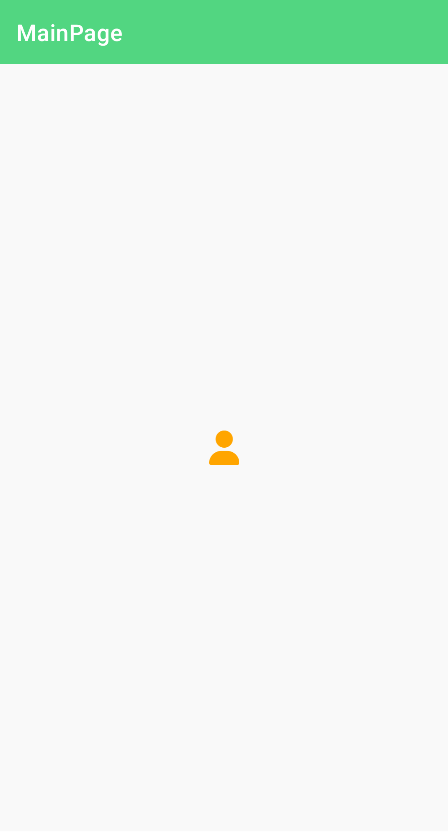
MAUI supports font icons by using FontImageSource class. You can use it in Image, Button and any control that has a ImageSource typed property.
<Image>
    <Image.Source>
        <FontImageSource FontFamily="FASolid" Glyph="{x:Static fa:Solid.User}" Color="Orange" />
    </Image.Source>
</Image>
Material Symbols
Material symbols are included in UraniumUI.Icons.MaterialSymbols package. After adding the package, you have to configure fonts in MauiProgram.cs file.
builder
	.UseMauiApp<App>()
	.ConfigureFonts(fonts =>
	{
		fonts.AddFont("OpenSans-Regular.ttf", "OpenSansRegular");
		fonts.AddFont("OpenSans-Semibold.ttf", "OpenSansSemibold");
		fonts.AddMaterialSymbolsFonts(); // 👈 Add this line
	})
Font Names
6 font names are provided by Material Symbols. They can be used as FontFamily parameter in FontImageSource.
MaterialOutlinedMaterialOutlinedFilledMaterialRoundedMaterialRoundedFilledMaterialSharpMaterialSharpFilled
Glyphs
Glyphs are provided with MaterialOutlined, MaterialRounded and MaterialSharp classes. They can be accessed like MaterialSharp.Account_circle. This class is included in UraniumUI namespace. You should include the following xml namespace to use it.
xmlns:m="clr-namespace:UraniumUI.Icons.MaterialSymbols;assembly=UraniumUI.Icons.MaterialSymbols"
Usage
MAUI supports font icons by using FontImageSource class. You can use it in Image, Button and any control that has a ImageSource typed property.
<Image>
    <Image.Source>
		<!-- Use FontFamily="MaterialSharpFilled" to get the filled variant of the selected glyph -->
        <FontImageSource FontFamily="MaterialSharp" Glyph="{x:Static m:MaterialSharp.Warning}" Color="Red" />
    </Image.Source>
</Image>
Migrating from MaterialIcons
With UraniumUI 2.8.0 the MaterialIcons became deprecated, since Google is recommending to switch over to MaterialSymbols instead. The two-tone (MaterialTwoTone) style is not available in MaterialSymbols. You will have to choose between "Outlined", "Rounded" and "Sharp". Looks can be compared on Google Fonts.
Once a style is chosen, remove the MaterialIcons nuget package and install MaterialSymbols.
Make sure to follow the instructions above on how to setup the MaterialSymbols package.
Then adjust your xmlns: and usings.
If you were using a style that became unavailable, replace all occurences of e.g. MaterialRegular.Star with MaterialOutlined.Star.
Segoe Fluent Icons
Segoe Fluent Icons are included in UraniumUI.Icons.SegoeFluent package. After adding the package, you have to configure fonts in MauiProgram.cs file.
builder
	.UseMauiApp<App>()
	.ConfigureFonts(fonts =>
	{
		fonts.AddFont("OpenSans-Regular.ttf", "OpenSansRegular");
		fonts.AddFont("OpenSans-Semibold.ttf", "OpenSansSemibold");
		fonts.AddFluentIconFonts(); // 👈 Add this line
	})
Font Names
A single font name is provided by the package. It can be used as FontFamily parameter in FontImageSource.
Fluent
Glyphs
Glyphs are provided with Fluent class. They can be accessed like Fluent.Accept. This class is included in UraniumUI.Icons.SegoeFluent namespace. This namespace is exported to the default UraniumUI namespace.
xmlns:uranium="http://schemas.enisn-projects.io/dotnet/maui/uraniumui"
Usage
MAUI supports font icons by using FontImageSource class. You can use it in Image, Button and any control that has a ImageSource typed property.
<Image>
	<Image.Source>
		<FontImageSource FontFamily="Fluent" Glyph="{x:Static uranium:Fluent.Accept}" Color="Green" />
	</Image.Source>
</Image>
Or you can use the FontImageSource markup extension.
<Image Source="{FontImageSource Glyph={x:Static uranium:Fluent.Accept}, FontFamily=Fluent, Color=Blue}" />